



Industry | Digital Transformation | Big Data | IoT | Product Updates | Technology
Autodesk Canada Data Residency: What It Means for Your Projects
Autodesk now offers Canadian data residency for Forma Build, Forma Data Management, Forma Takeoff and more. See what is available and how to set up your hub.

SolidCAD 15 Sep 2025
Updated November 2026: Autodesk has expanded the services available in its Canadian region and renamed Autodesk Construction Cloud as Autodesk Forma since this article was first published. This article reflects Autodesk's current Regional Offerings FAQ. For a deeper look at planning a move to Canadian storage, read Keeping Civil Project Data in Canada with Autodesk Forma.
The Canadian architecture, engineering, construction, and manufacturing (AEC&M) industries have long awaited this milestone: Autodesk has officially expanded its regional cloud offerings to include Canada.
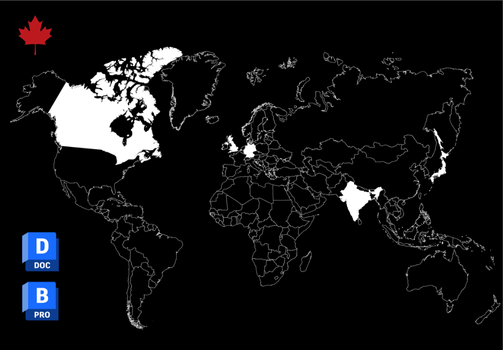
Autodesk Forma (formerly Autodesk Construction Cloud) customers can now store project data at rest on Canadian-based servers, helping organizations meet data residency requirements, improve performance, and build trust in projects with the highest security standards.
For Canadian organizations, especially in government infrastructure, healthcare, utilities, and other regulated sectors, this change removes one of the biggest barriers to adopting Autodesk's cloud collaboration tools and paves the way for more efficient, connected project delivery.
Autodesk's Announcement: A Big Change for Canada
In August 2025, Autodesk announced that Canada had joined its network of regional data storage locations (Autodesk Newsroom: Expanded Regional Offerings). In October 2025, a second phase brought Forma Build and Forma Takeoff to the Canadian region (APS Blog: Phase II).
Hosted on Amazon Web Services (AWS), the Canadian region delivers:
Enterprise-grade security
High availability
Alignment with Canadian regulatory requirements
This regional expansion gives customers greater control over where their project data resides, an essential capability for organizations bound by public sector rules or industry-specific compliance requirements.
Current Autodesk Services Available in Canada
Most core Autodesk Forma services are now hosted in Canada, although a few remain available only in other regions.
Available Now in Canada
Forma Data Management and Forma Data Management Essentials (formerly Autodesk Docs): Centralized document management
Forma Design Collaboration (formerly BIM Collaborate Pro): Design coordination, review and co-authoring
Revit Cloud Worksharing (Revit 2021 or later): Real-time design collaboration
Collaboration for Civil 3D (Civil 3D 2020 or later): Cloud coordination for infrastructure projects
Forma Build and Forma Build Essentials (formerly Autodesk Build): Field and project management
Forma Takeoff (formerly Autodesk Takeoff): 2D and 3D quantification
Forma Estimate: Cost estimating
Parameters and AEC Data Model features within Forma products
Not Yet Available in Canada
Autodesk Forma Site Design
Autodesk Tandem and Tandem for AEC
Collaboration for Plant 3D
Content Catalog
BIM 360 Docs
Availability continues to evolve. For the most up-to-date list, visit Autodesk's Regional Offerings FAQ or the Autodesk Trust Center, or speak with your SolidCAD account team.
Quick Reference: Product Availability in Canada
| Product/Service | Formerly | Canada |
|---|---|---|
| Forma Data Management | Autodesk Docs | ✔ |
| Forma Design Collaboration | BIM Collaborate Pro | ✔ |
| Revit Cloud Worksharing | Revit Cloud Worksharing | ✔ |
| Collaboration for Civil 3D | Collaboration for Civil 3D | ✔ |
| Forma Build | Autodesk Build | ✔ |
| Forma Takeoff | Autodesk Takeoff | ✔ |
| Forma Estimate | New | ✔ |
| Autodesk Forma Site Design | Autodesk Forma | ✘ |
| Autodesk Tandem | Autodesk Tandem | ✘ |
| Collaboration for Plant 3D | Collaboration for Plant 3D | ✘ |
| Content Catalog | Content Catalog | ✘ |
Data Residency vs. Data Localization
A key point in Autodesk's rollout is the difference between data residency and data localization:
Data Residency: Project data at rest is stored in Canada.
Data Localization: Both storage and compute processes remain in Canada.
Autodesk provides data residency for supported services in Canada. Choosing the Canadian region stores project data, including files, models and project content, in Canada. Some compute processes may still occur outside the country depending on the service, and Autodesk states that personal data, including identity and hub data, continues to be stored and processed in the United States. If your requirement extends to user accounts, involve your legal team early.
How to Set Up a Canadian Autodesk Forma Hub
New customers: Choose Canada as the primary storage location when you activate your hub. This choice cannot be changed later.
Existing customers: Create a new hub in the Canadian region from the hub list at manage.autodesk.com and run it alongside your existing hub. Your Autodesk Contract Manager creates the hub.
Enterprise customers: Organizations with an active Enterprise Business Agreement (EBA) should contact their Autodesk account team to create an additional hub.
Trials: A trial hub can be converted to a subscription hub only if the trial was started in the same region.
Tips: use unique hub names to avoid confusion between regions, and note that all new projects in a Canadian hub are stored in Canada. Canadian hub users sign in at acc.can.autodesk.com.
Cross-Region Collaboration Considerations
Forma Bridge and Forma Design Collaboration (Revit Cloud Worksharing) do not currently share files between regions.
Autodesk recommends standardizing on one region per project to avoid workflow issues.
Moving Existing Projects to Canada
Existing projects cannot be migrated from one region to another, and projects in other regions (for example, the U.S.) will not move to your Canadian hub automatically. Teams have two options:
Copy files and folders between regions using the Autodesk Replication Tool for Data Management (ART). The tool does not carry over versions, issues, markups, permissions or other project data.
Move files manually by downloading project files, creating new projects on the Canadian hub, and uploading the files there.
Third-party solutions built on Autodesk Platform Services (APS) can help migrate some additional data. Because version history, issues and markups often form part of the audit trail public owners rely on, decide early which records must come across and how they will be preserved.
Capabilities in the Canadian Region
Forma Data Management in Canada
ISO 19650 compliance
Permission controls
Search, filtering, and dashboards
Automated quality control
Forma Design Collaboration in Canada
Design coordination and clash detection
Change analysis and issue tracking
Real-time co-authoring for Revit and Civil 3D
Tight integration with Forma Data Management
Autodesk Platform Services (APS) in Canada
Data Management API
Model Derivative API
Webhooks API
Viewer SDK
Forma APIs for Forma Build and Forma Takeoff
Parameters API and AEC Data Model API
Why Canadian Data Residency Matters
Hosting your Autodesk Forma projects in Canada means:
Stronger security with local data residency
Faster performance for Canadian users
Improved trust in government and regulated projects
Centralized project data for better decision-making
Partner with SolidCAD for a Smooth Transition
SolidCAD is a Platinum Autodesk Partner specializing in BIM workflows, Autodesk Forma implementation, and data migration.
We can help you:
Set up your Canadian Autodesk Forma hub
Plan which projects to move and how to preserve the records that matter
Configure permissions and workflows
Train your team for fast adoption
📅 Book a consultation with SolidCAD today and make your move to Canadian-hosted Autodesk Forma seamless.
References
Unlock expert insights: connect with SolidCAD today!
Discover how SolidCAD Insights can accelerate your business growth and transformation. From industry trends to practical strategies, our experts are here to help. Contact us today to discuss your needs and explore solutions tailored to your business.
