
.png)

%20(1).png)
-1.png?width=40&name=Empowering%20Transformation%20-%20logo%20transition%20animation%20(7)-1.png)
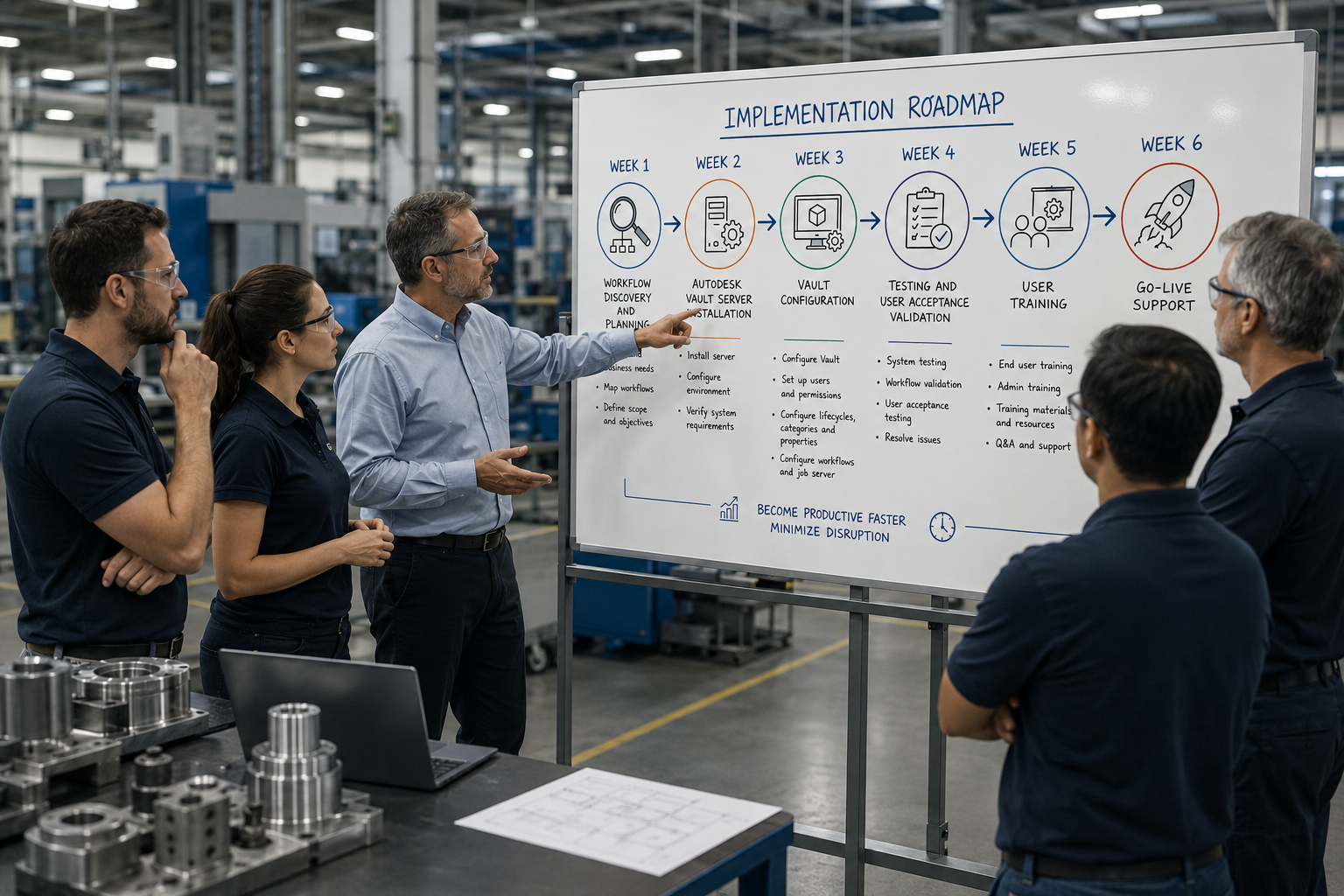
Organizations invest in Autodesk Vault Professional to gain better control over engineering data, improve collaboration, automate workflows, and create a scalable foundation for digital transformation.
Yet despite the technology's capabilities, many Autodesk Vault implementations fail to deliver the expected business outcomes.
The software is rarely the problem.
More often, the challenge lies in how the implementation is planned, scoped, and executed.
Projects that begin with clear objectives can quickly expand into lengthy consulting engagements, resulting in delayed timelines, rising costs, and frustrated stakeholders.
This is commonly known as implementation scope creep.

What Causes Autodesk Vault Implementations to Fail?
Many organizations purchase Autodesk Vault Professional with the goal of improving engineering data management, only to discover that implementation is more complex than expected.
The most common reasons include:
1. Undefined Project Scope
Many Vault deployments start with broad objectives such as:
- Improve engineering productivity
- Organize design data
- Standardize workflows
- Prepare for future integrations
While these goals are valuable, they often lack clear boundaries.
Without a defined scope, implementation teams continuously add new requirements, workflows, integrations, and customizations throughout the project.
What begins as a Vault implementation can quickly evolve into a much larger business transformation initiative.
2. Too Much Customization Too Early
Autodesk Vault Professional offers extensive flexibility through:
- Lifecycle management
- Categories
- Properties
- Revision control
- Job processing
- ERP integrations
- Engineering Change Orders
- Items and BOM management
Many organizations attempt to implement everything at once.
This often creates unnecessary complexity, longer deployment timelines, and lower user adoption.
Successful implementations establish a strong foundation first before introducing advanced capabilities.
3. Lack of User Adoption
Even a technically successful Vault deployment can fail if users do not embrace the system.
Common issues include:
- Limited training
- Inconsistent processes
- Poor workflow design
- Lack of stakeholder involvement
When users continue relying on network drives, spreadsheets, or manual processes, organizations never realize the full value of Autodesk Vault Professional.
4. No Clear Roadmap for Growth
Many companies know they will eventually need capabilities such as:
- Engineering Change Orders (ECOs)
- Item Management
- Multi-site Replication
- ERP Integration
- Advanced Automation
The mistake is attempting to deploy all these capabilities on Day One.
Without a phased approach, projects become difficult to manage and increasingly expensive.
The Hidden Cost of Scope Creep
Scope creep is one of the largest contributors to failed software implementations.
It typically starts with small requests:
- "Can we add another workflow?"
- "Can we customize approvals?"
- "Can we integrate this system too?"
- "Can we modify the lifecycle process?"
Individually, these requests seem minor.
Collectively, they can significantly increase project timelines, consulting costs, and implementation risk.
The result is often:
- Budget overruns
- Delayed go-live dates
- Reduced user confidence
- Incomplete deployments
- Lower return on investment
For engineering organizations, every delay means teams continue operating with inefficient processes and disconnected data.

What the Vault Professional Foundation Pack Does Differently
The Vault Professional Foundation Pack was designed specifically to eliminate implementation uncertainty and reduce project risk.
Instead of an open-ended consulting engagement, the Foundation Pack provides a structured, fixed-scope implementation with predefined deliverables, timelines, and outcomes.
A Proven Foundation
The Foundation Pack focuses on establishing the core components required for long-term success:
- System configuration
- User management
- Windows authentication
- Categories and lifecycles
- Workflow configuration
- Property mapping
- Data mapping
- Job processor setup
- User and administrator training
Rather than attempting to implement every advanced feature immediately, organizations establish a strong operational foundation first.
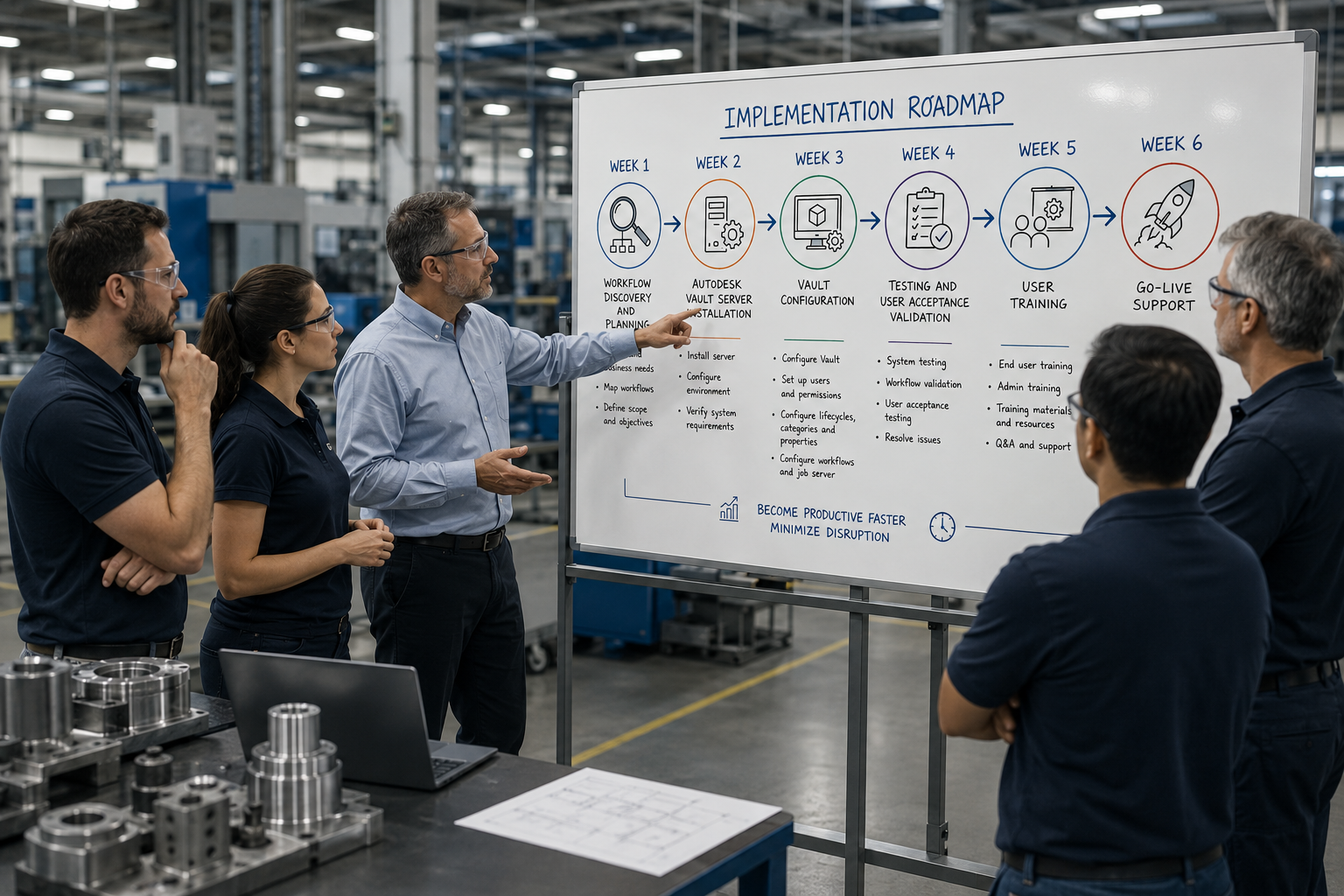
A Clear Implementation Roadmap
The implementation follows a structured deployment approach:
Week 1: Workflow discovery and planning
Week 2: Autodesk Vault Server installation
Week 3: Vault configuration
Week 4: Testing and user acceptance validation
Week 5: User training
Week 6: Go-live support
This approach helps organizations become productive faster while minimizing disruption.
Built for Future Expansion
The Foundation Pack is intentionally designed as the starting point for future growth.
Once the foundation is in place, organizations can confidently expand into advanced Autodesk Vault Professional capabilities through add-on services including:
Engineering Change Orders (ECO)
Standardize engineering change processes through configurable workflows, routing, notifications, approvals, and revision management.
Vault Items Management
Create a centralized item master for parts, assemblies, and bills of materials while improving revision control and data consistency across engineering and manufacturing.
Autodesk Vault Filestore Replication
Support distributed engineering teams by improving file access performance across multiple geographic locations.
Autodesk Vault SQL Replication
Maintain synchronized Vault environments for global teams while preserving a single source of truth.
Vault Basic to Vault Professional Upgrade
Transition from simple file management to enterprise-level engineering data management with lifecycle control, automation, and advanced workflows.
Why a Foundation-First Approach Delivers Better Results
The most successful Autodesk Vault Professional implementations focus on one goal: Get the foundation right first.
By implementing core data management processes before introducing advanced functionality, organizations achieve:
- Faster user adoption
- Reduced implementation risk
- Faster time-to-value
- Improved engineering productivity
- Better process consistency
- A scalable platform for future growth
Most importantly, they avoid the project delays and budget overruns that often accompany scope creep.
Ready to Build Your Autodesk Vault Foundation?
Autodesk Vault Professional has the potential to transform how engineering teams manage data, collaborate, and scale operations.
The key is starting with the right foundation.
The Vault Professional Foundation Pack provides a structured, predictable path to implementation success, helping organizations establish a single source of truth while creating a roadmap for future expansion into Engineering Change Orders, Item Management, Replication, ERP integrations, and other advanced capabilities.
Instead of a project that continually expands, you get a deployment designed to deliver measurable results quickly and predictably.
Frequently Asked Questions
What is Autodesk Vault Professional?
Autodesk Vault Professional is a product data management (PDM) solution that helps engineering and manufacturing organizations manage design files, control revisions, automate workflows, and improve collaboration across teams.
What is the difference between Autodesk Vault Basic and Vault Professional?
Vault Basic provides secure file storage and version control. Vault Professional adds advanced capabilities including lifecycle management, revision control, automation, replication, engineering change orders, item management, and integration capabilities.
Why do Autodesk Vault implementations fail?
The most common causes include unclear project scope, excessive customization, poor user adoption, lack of planning, and implementation scope creep.
What is implementation scope creep?
Scope creep occurs when new requirements, workflows, integrations, or customizations are continuously added during a project, causing delays, increased costs, and greater implementation risk.
What is included in the Vault Professional Foundation Pack?
The Foundation Pack includes system configuration, workflow setup, user management, categories, lifecycles, data mapping, property mapping, job processor configuration, training, testing, and go-live support.
How long does a Vault Professional Foundation implementation take?
Most implementations are completed within four to six weeks using a structured deployment methodology.
Can we add advanced Vault features later?
Yes. The Foundation Pack is designed as a starting point that can be expanded through add-on services such as Engineering Change Orders, Vault Items, Filestore Replication, SQL Replication, and Vault Professional upgrades.
Is Autodesk Vault Professional suitable for multi-site engineering teams?
Yes. Vault Professional supports both Filestore Replication and SQL Replication, enabling distributed teams to collaborate efficiently while maintaining centralized data control.
Unlock expert insights: connect with SolidCAD today!
Discover how SolidCAD Insights can accelerate your business growth and transformation. From industry trends to practical strategies, our experts are here to help. Contact us today to discuss your needs and explore solutions tailored to your business.
%20(3).png)